Useful Bible Software

Bible Analyzer

Bible Analyzer is a comprehensive Bible study and research tool.

It has many useful features including Bible text comparison, references to respected Bible commentary’s, Bible dictionaries and encyclopedias, maps charts and illustrations and much more.

Downloading is simple and installation easy to follow.

The basic package you start with is good but limited.

The next thing you need to do is head over to the Bible Analyzer Modules page over at:

https://www.bibleanalyzer.com/modules.html

… where you will find more Bibles, Dictionaries, Encyclopedias, Commentaries etc than you could possibly read in a lifetime!

Scroll down the page … there are hundreds of free books and reference works, past the paid options.

All in all, a useful piece of Bible software to add to your collection, simple to use and esp handy for bible verse comparison.

E Sword

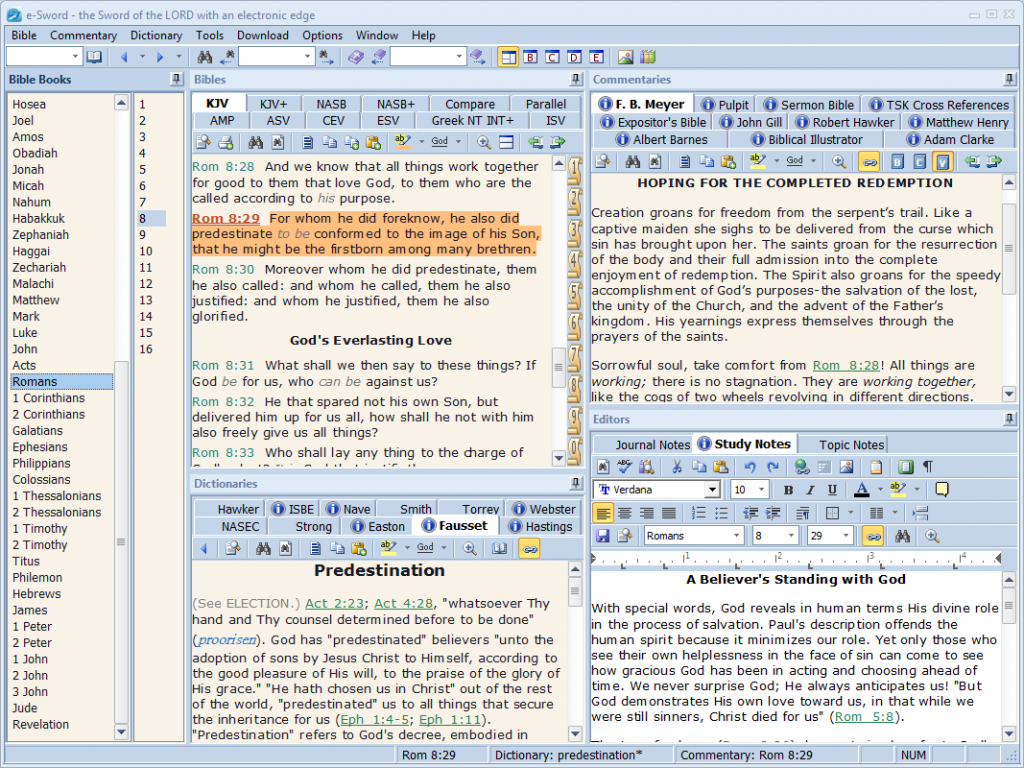
e-Sword is a feature rich and user-friendly bible software program.

The goal of the creators was simplicity.

If a feature became too complicated for anyone other than a software engineer to use, then they abandoned the design in favour of keeping things simple. $500.00 software packages might be able to do more “things”, but does the average user know how to take advantage of them?

Below, you’ll find a list of features that you will discover makes e.sword a very useful program to have on your hard drive:

– A comprehensive selection of Bibles, commentaries and dictionaries are provided for free with a few paid additions also available if you require them.

– Create your own “parallel Bible” with up to any four translations. Studying the Word of God and comparing passages have never been easier!

– Integrated editor for creating your own commentaries or study notes, complete with spell checking and a Thesaurus. Notes are “linked” to the Bible for easy viewing and can also be exported for portability.

– Strong’s definitions are displayed as Tool Tips. Just place the mouse pointer over a Strong’s number and the definition will then be displayed.


– Scripture references in the Commentary and Dictionary views are displayed as Tool Tips. Just place the mouse pointer over the reference and the passage will then be displayed. To go to the passage, just click it.

– Easily compare the various translations to see how they rendered the Greek or Hebrew manuscripts.


– Powerful search capabilities, yet simple to use. Enter as many words you want to search for and select the search style and range. You can even search on Strong numbers and exclude words from the search.


– Copy and print Scripture in a variety of formatting styles. This is also available for search results and verse list


All in all, a valuable and easy to use tool to assist you with all manner of bible research projects.

The Word

The Word was created by Bible scholar Costas Stergiou “in order to be a valuable, everyday tool for every Christian that wishes to read and study the bible, “.

The Word Bible software is regarded by many as one of the very best Bible study programs available, commercial or otherwise.

The program is designed to be a tool for everyday use and is quick to load, easy to customize and intuitive to use. Each little detail has been carefully contemplated, designed and implemented with many options and customizations.

Features at a glance:

– Clear and Unobtrusive User Interface
– Unmatched Customization of Bible Viewer
– Compare Multiple Translations of the Bible
– Search the Bible Effectively and Quickly
– User Highlighting Available
– Verse lists
– Intuitive and Extensive Cross-Reference Support
– Book View: A Place for All Your Non-Bible Resources
– Book Search View—Find Everything!

– Clipboard Monitor: Read the Text of Any Verse in Any Program
– Greek and Hebrew Support
– Copy Verses Out of the Program and Print Everything
– Tailor Your Layouts; Save and Restore Them When Needed
– Take It With You: The Word is Portable
– Numerous Skins to Customize the Look of The Word
– Ever Expanding Library

With an exhaustive collection of downloadable add-ons and additional modules to make this program even more powerful, The Word is definitely a useful addition to your Biblical software collection.

Theophilus

Theophilos 3 is a fast and effective way to explore God’s word, ideal for those who enjoy using the single screen interface style bible research software.

It comes packed with powerful features including:

Navigate the Bible (multiple translations available)
Do extensive research of the Bible
Compare Bible versions
Search and consult dictionaries
Search and view notes and commentaries

Search and study early Christian writings
Create your own dictionaries or topic books to store your knowledge and studies
Create your own notes and commentaries
Create Jumplists for special handling of verse lists and bookmarks
Hear and watch multimedia Bible narrations or presentations of God’s Word and create your own
Record audio notes and comments to every verse of the Bible
Attach sounds and pictures to Bible verses
Add your own pictures and sounds to menu for instant access
Copy or print everything you see
Customize program behavior and look

… and much more.

This is a very user friendly and comprehensive bible research tool … well worth investigating.


Bible Seeker

Bible Seeker is like a Biblical scholar’s study, full of books, Bible translations, concordances, commentaries, textual analysis, and numerous other Bible reference works.

Bible Seeker is a useful biblical reference tool that includes the King James Version of the Holy Bible, Easton’s Bible Dictionary, Matthew Henry’s Concise Commentary, and Notes from the KJV Translators, with many add-on components available.

You can open each reference tool independently within Bible Seeker’s interface, which makes it easy to search, print, and use these time-tested resources. It uses your Web browser to display pages, giving them the familiar feel and flexibility of a Web page.

When you first open Bible Seeker, a pop-up message advises you that it uses Internet Explorer as its default display tool but you can change the settings to another browser by clicking Tools/Options, selecting HTML Viewer, and entering the file name of our preferred browser.

The program opens with the KJV displaying John 1:1. You can quickly access Book, Chapter, and Verse via drop-down lists, and also access any different versions you might have installed, though the default choice is the KJV.

You can also browse chapters and open any of the commentaries from the toolbar, often directly on the passage in question. For instance, if you enter Galatians 4:4 and, when the page appears, click on Henry’s commentary, it opens directly on the appropriate reference. You could download and add more references, too, and print any page from the interface or from IE.

Bible Seeker provides a wide range of respected commentaries and concordances plus the ability to add more. I especially like the tool’s use of your browser to display pages, which ensures a familiar interface and takes advantage of the flexibility of HTML-based presentation and the wide and growing availability of free HTML-based textual resources

Bible Explorer

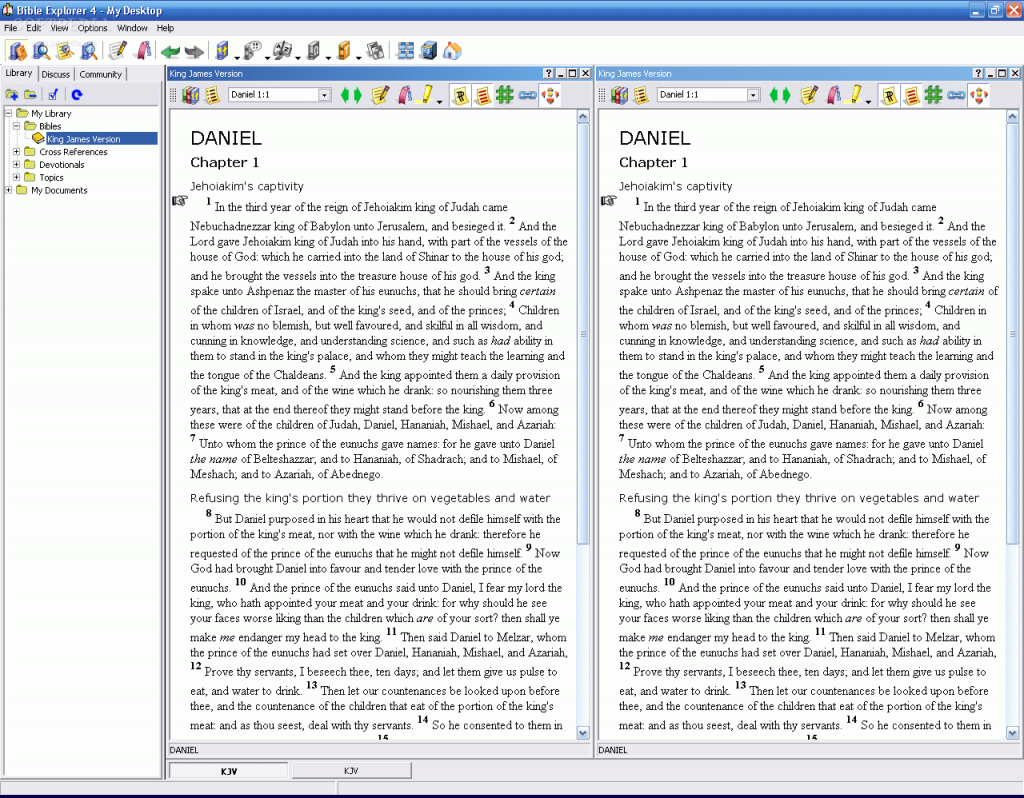
As its name suggests, Bible Explorer is a user-friendly application designed to help you study and understand the contents of the Holy Book. With its intuitive interface, it brings important passages, comments, translations and explanations right at your fingertips, providing you with a simple method for organizing information and learning about the word of God.

At the first start, you are prompted to download and install the Bible books. Once this process is finished, you can start browsing the library, create notes and study plans. The application includes the King James version of the Bible, enabling you to browse and read important passages and easily navigate through the chapters.


It comes with a set of features that make the learning process much easier: you can take personal notes, create bookmarks, highlight significant text sections and cross-reference any verses or passages. To make learning even more easy, the application can create personalized Bible reading plans, where you can specify the sections to read and how much time you want the process to take.

The advanced search tool browses through the entire library to find specific passages or concepts, multiple keywords, phrases or Strong’s numbers (occurrences of original language words). You can use the built-in word processor in order to create documents that integrate with your library, where scripture references are automatically turned into hyperlinks.

You can access discussion groups to talk to other Bible Explorer users, share your notes with friends, or view a list of commentaries regarding Bible content and other theology-related concepts. Spell checking with custom dictionaries, backup capabilities, printing and page preview are other features that this application comes with.

Furthermore, it can remember the preferences of more than one user, by creating so-called ‘desktops’ that save the window layout, comments, text format, cross-references, highlighted passages and so on. Thus, it can be used by multiple persons simultaneously, without worrying that their learning habits are affected in any way.

Combining ease of use with advanced features, Bible Explorer provides you with an intuitive study environment for reading and learning about the Holy Book and discovering its meaning.


 

Davar

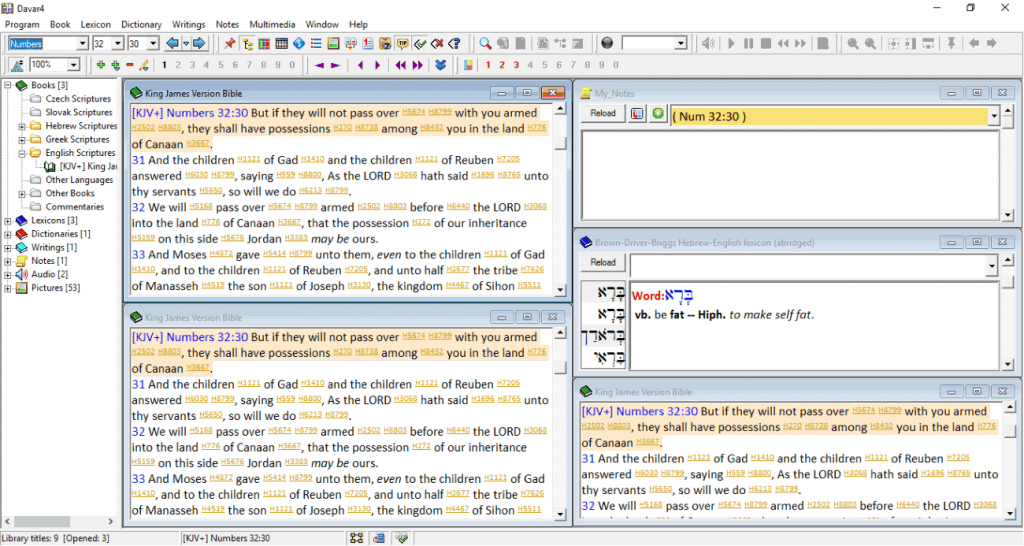
Davar is a Hebrew dictionary/lexicon, running on the Windows platform. It can be a helpful tool for study of Old Testament languages.

DAVAR works in two modes:

Dictionary mode:

You can open three bidirectional dictionaries (files *.he2, *.2he). This is word->word translation. You can mark each record by one char, e.g. “R” for “root” and then use this as filter. It’s possible to merge dictionaries and use function “Erase duplicate words” if necessary.

Lexicon mode:

You can open three lexicons (*.lex), always from Hebrew language. For each Hebrew word, you have about 30 kB of space for explanation.

You can use full text search in lexicon by Hebrew or English key. It is possible to specify which part of lexicon (“Word”, “Strong”,…) will be searched.

Books

Davar can open six book files of Hebrew or non-Hebrew texts. Is is possible to browse texts, synchronize view and perform full text search in book. You can search for Hebrew or non-Hebrew text, use ‘*’ and ‘?’ for wildcard search and use options “Match whole words” and “Ignore Hebrew vocalization”.

The results of the search are displayed in results window, the matched pattern is coloured.

This is a scripture study tool for the serious student interested in the original languages of the
Bible and may be a little technical for the average user.

There are also included many English translations of the Bible (inc the New World Translation) for you to compare and study.

Click Here to Return to the Theocratic Collector Contents Page